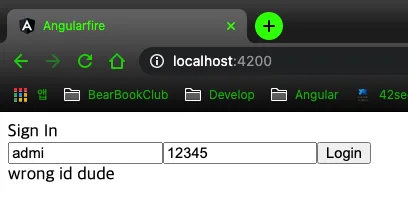
Angular 11 + firebase(firestore) 프로젝트 #07 반응형 폼 모듈

반응형 폼 모듈 써보자 app.module.ts ReactiveFormsModule import 해주시고 로그인에서 id, pwd를 FormControl로 바꿔보자 login.component.ts로 가서 login.component.ts import { Component, EventEmitter, Input, OnInit, Output } from '@angular/core'; import { FormControl } from '@angular/forms'; @Component({ selector: 'app-login', templateUrl: './login.component.html', styleUrls: ['./login.component.css'] }) export class LoginCompo..
반응형 폼 모듈 써보자
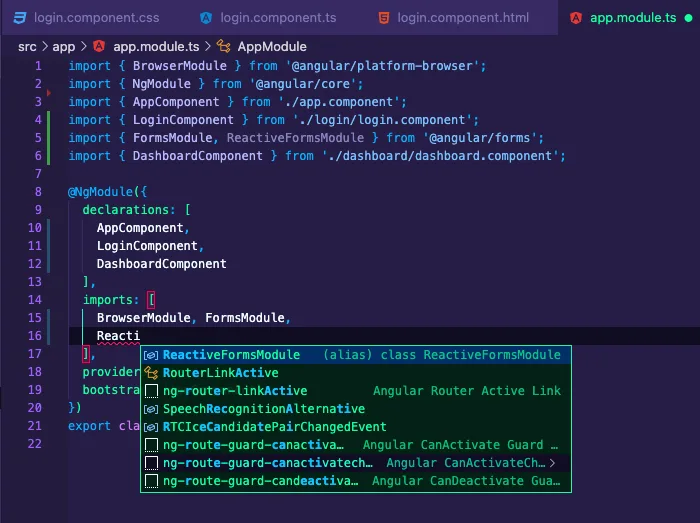
app.module.ts
ReactiveFormsModule import 해주시고
로그인에서 id, pwd를 FormControl로 바꿔보자
login.component.ts로 가서
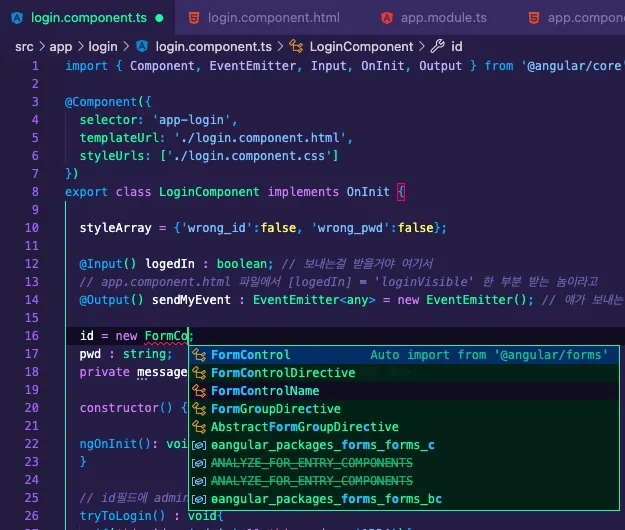
login.component.ts
import { Component, EventEmitter, Input, OnInit, Output } from '@angular/core';
import { FormControl } from '@angular/forms';

@Component({
  selector: 'app-login',
  templateUrl: './login.component.html',
  styleUrls: ['./login.component.css']
})
export class LoginComponent implements OnInit {

  styleArray = {'wrong_id':false, 'wrong_pwd':false};

  @Input() logedIn : boolean; // 보내는걸 받을거야 여기서
  // app.component.html 파일에서 [logedIn] = 'loginVisible' 한 부분 받는 놈이라고
  @Output() sendMyEvent : EventEmitter<any> = new EventEmitter(); // 얘가 보내는 놈이야
  id = new FormControl('');    // 폼 컨트롤러 클래스로 바꿈
  pwd = new FormControl('');
  private message;  // 특정 상황에서 우리가 띄워줄 메세지

  constructor() { }

  ngOnInit(): void {
  }

  // id필드에 admin, pw필드에 1234를 친 경우에만 vibile
  tryToLogin() : void{
    if(this.id.value == 'admin' && this.pwd.value == '1234'){
      alert('signing in...'); // 아이디 비번 잘 쳤으면 로그인 된다고 말을 하고
      this.logedIn = true;
      this.sendMyEvent.emit(this.logedIn);  // app.component에 전달
    }else if(this.id.value != 'admin'){
      this.setMessage = 'wrong id dude';    // id 틀렸을 때에 메세지 설정
      this.styleArray.wrong_id = true;
      this.styleArray.wrong_pwd = false;
    }else if(this.pwd.value != '1234'){
      this.setMessage = 'wrong password, try again!'; // 비밀번호 틀렸을때 메세지 설정
      this.styleArray.wrong_id = false;
      this.styleArray.wrong_pwd = true;
    }
  }


  set setMessage(msg) { // 메세지 설정하기
    this.message = msg;
  }

  get getMessage() : any{ // 메세지 가져오기
    return this.message;
  }
}
id, pwd 를 FormConstrol로 받았으니 이제 이 값을 접근할때는 id.value 형식으로 받아야됨. 이거 고치고 돌린다면 오류 뜰거임. 아직 html은 .value로 받아오게 안고쳤고, id, pwd를 아직도 ngModel로 가져오고 있을 거잖아.걔도 formControl로 바꿔야됨 . 이미 삽질 다 하면서 작성중이라.. 그럼 바로
login.component.html 로치러 가자
<div>Sign In</div>
<input type="text" placeholder="id" [formControl]="id"/>
<input type="text" placeholder="password"  [formControl]="pwd"/>
<button (click)='tryToLogin()'>Login</button>
<div>
    <span [style.color]="'blue'" *ngIf="pwd.value.length < 4"> length of password is longer than 4</span>
</div>
<div *ngIf="getMessage" [ngClass]="styleArray">
    {{getMessage}}
</div>
이러면 이때까지 만들어놓은 기능들이랑 같게 개발이 완료가 되었고, 그런데 계속 걸리는게 있지. pwd의 길이를 체크함에 있어서 그 기능을 html이 하고 자빠져있는게 비효율적이고 맘에 안들어. 그러면 저 놈을 애초에 login.component.ts에서 검사를 하고 가져왔으면 해. 가자.
아! 그 전에 FormControl이 뭔지 알아봄.지금은 pwd = new FormControl(' ')로 끝나고 있는데 저 안에 원래 3개의 필드가 들어갈 수 있는 거야.validator옵션이랑 asyncValidator이 들어갈 수 있음. 더 궁금하다면 하단 링크를 확인
angular.io/api/forms/Validators
Angularangular.io자 다시 돌아와서 login.component.ts 수정이나 해보자
pwd를 이렇게 바꿔보자
pwd = new FormControl('',[Validators.required, Validators.minLength(4)]);확인 하는데 최소 길이 4로 한다는 말이야. login.component.html도 고쳐보자
<div>Sign In</div>
<input type="text" placeholder="id" [formControl]="id"/>
<input type="text" placeholder="password" [formControl]="pwd"/>
<button (click)='tryToLogin()'>Login</button>
<div>
    <span *ngIf="pwd.hasError('minlength') || pwd.hasError('required') "> length of password is longer than 4</span>
</div>
<div *ngIf="getMessage" [ngClass]="styleArray">
    {{getMessage}}
</div>
오우... 갑자기 error 계속 떠서 이번 프로젝트도 망한건가 싶었는데 vscode 껏다 키니까 잘 작동한다... 진심으로 부수고 싶었다.
자.. 진정하고 다시,
유효성 검사를 할 때에 이거 완전 조심해야 하는 것이 있다. maxlength, required, minlength 등등 대소문자 구분이 ts 파일과 처리가 다르다는 것이다.